
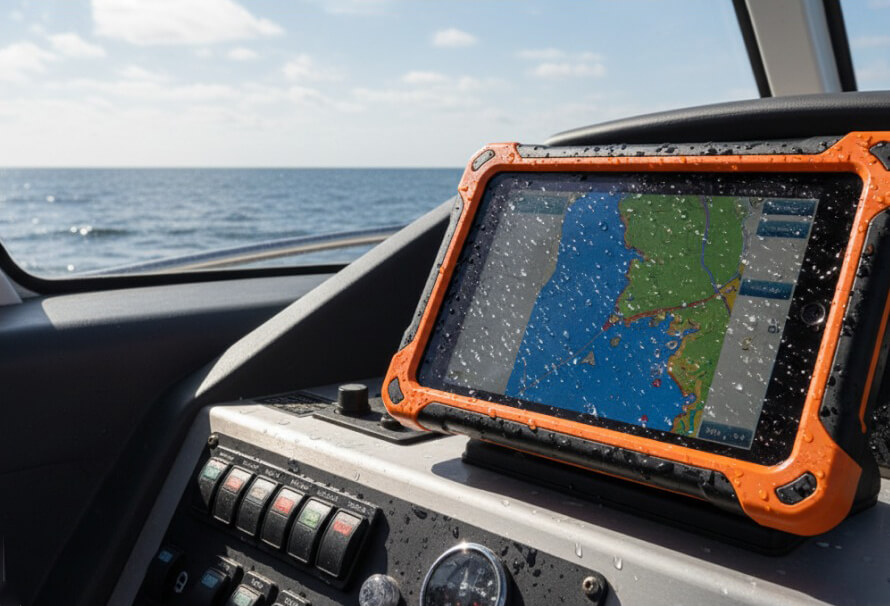
A rugged tablet is a long-term tool, not a consumable. The right one will survive years of drops, rain, dust and extreme temperatures while running the software your team depends on every day. The wrong one ends up as an expensive paperweight, or worse, fails in the field when it matters most. This guide walks through the questions we ask every customer before recommending a device.
1. Start with where and how it will be used
Before comparing specifications, write down a typical working day for the person who will carry the tablet. Is it mounted in a vehicle, carried on foot, or used at a fixed workstation on a production floor? Will it be used in direct sunlight, in freezing conditions, or with gloves on? The answers narrow the field faster than any spec sheet.
- Vehicle-mounted: look for docking support, vehicle power options and good GPS.
- Carried on foot all day: weight and battery life matter more than raw performance.
- Outdoor and utility work: prioritise a bright, sunlight-readable screen and glove-friendly touch.
- Warehouse and logistics: barcode scanning and a strong Wi-Fi radio often matter most.
2. Fully rugged or semi-rugged?
Fully rugged tablets are built for the harshest conditions: sealed against dust and water, tested for repeated drops onto hard surfaces and designed to keep working across a wide temperature range. Semi-rugged devices offer good protection against everyday knocks and spills at a lower price and weight. If the tablet will regularly be outdoors or in industrial environments, fully rugged is almost always the better long-term investment.
3. Understand the ratings: IP and MIL-STD-810
Two ratings come up on almost every rugged product page. They are useful, but only if you know what they mean.
| Rating | What it tells you | What to look for |
|---|---|---|
| IP rating (e.g. IP65) | Protection against dust (first digit) and water (second digit) | IP65 resists dust and water jets; IP67 survives temporary immersion |
| MIL-STD-810H | A US military test method covering drops, vibration, temperature, humidity and more | Check which tests were passed and the drop height, not just the badge |
| Operating temperature | The range in which the device keeps working | Wider ranges matter for outdoor, cold-store and vehicle use |
Tip: MIL-STD-810 is a set of test methods, not a single pass/fail certificate. Two devices can both claim it while being tested to very different levels, so compare the details.
4. Screen size, brightness and touch
Rugged tablets typically range from around 7 to 12 inches. Smaller screens are lighter and easier to hold in one hand; larger screens are better for maps, forms and drawings. For outdoor use, screen brightness is critical: look for high-brightness, sunlight-readable panels and touchscreens that work in the rain and with gloves. Many models also support an active pen for signatures and annotations.
5. Windows or Android?
This decision is usually made by your software, not by preference.
- Windows tablets run the same line-of-business applications as your laptops and desktops, integrate with existing IT management and suit complex data entry. Examples include the Dell Latitude Rugged Extreme 7230 and Dell Pro Rugged 12, the Getac F110 and the Panasonic Toughpad FZ-G1 and FZ-G2.
- Android tablets are typically lighter, start faster and are well suited to dedicated apps, scanning and logistics workflows. Examples include the Panasonic FZ-A2 and FZ-A3 and the Getac ZX70 and Z710.
6. Battery life and hot-swap batteries
Ask how long the tablet needs to last between charges in real use, not in a test lab. Screen brightness, cold weather and mobile data all drain batteries faster than you might expect. For shift work or long days in the field, look for models with hot-swappable batteries, which let you change a battery without shutting the device down.
7. Connectivity and ports
Field devices often need to work far from Wi-Fi. Consider whether you need 4G or 5G mobile broadband, dedicated GPS, and Bluetooth for peripherals. Rugged tablets also tend to keep ports that consumer tablets have dropped, such as USB-A, serial or Ethernet, which can be essential for connecting to vehicles, test equipment or legacy systems. Optional extras such as barcode readers, smart card readers and RFID are usually configured at the time of order.
8. Configuration: processor, memory and storage
Match the processor and memory to the software you run. Forms, email and mapping run comfortably on mid-range processors; GIS, CAD and video work benefit from more power and memory. Choose enough storage for offline maps and data, and check whether memory is upgradeable or fixed at purchase, as many modern tablets have onboard memory that cannot be changed later.
9. Think about the total cost of ownership
The purchase price is only part of the cost. A rugged tablet that lasts five years with minimal downtime is often cheaper overall than a consumer device replaced every year or two. Factor in:
- Warranty length and what it covers, including accidental damage options
- Docks, vehicle mounts, cases and spare batteries
- Downtime costs when a device fails in the field
- Resale or refurbishment value at the end of its first life
If budget is tight, a professionally refurbished rugged tablet from our Rugged Outlet can deliver the same durability at a significantly lower cost.
Quick checklist before you buy
- Where will it be used, and by whom?
- Fully rugged or semi-rugged?
- Which IP rating, drop height and temperature range do you need?
- What screen size and brightness suit the work?
- Windows or Android, based on your software?
- How long must the battery last, and is hot-swap needed?
- Which connectivity, ports and scanners are required?
- What warranty and accessories will you need?
Need help choosing?
Every deployment is different, and the best choice often depends on details that do not fit on a spec sheet. Browse our full range of rugged tablets, read our Buyer’s Guide, or request a quote and our team will recommend the right device and configuration for your project. You can also call us on 03300 947 947.